
REVIEW · FLORENCE
Uffizi Gallery ticket & self-guided visit APP
Book on GetYourGuide →Operated by CAF Tour & Travel · Bookable on GetYourGuide
A masterpiece museum with a plan you control. What makes this Uffizi setup interesting is the smartphone audio app plus an interactive 3D map, so you’re not stuck waiting for a human guide. You move when you want, pause when you want, and still get museum-level storytelling.
I especially like the freedom factor. This isn’t one of those visits where you’re constantly herded onward. With the app, you can spend longer with the works you love—then speed up for the ones you just want to recognize. You’ll also get a multilingual tour across multiple languages, which makes the experience feel less like a translation and more like you’re actually reading the museum.
One drawback to keep in mind: you’re fully dependent on your own device. You need a charged smartphone and headphones, and if the app acts up, there’s no headset included in the package. In one recent booking experience, the audio guide didn’t work and the person had to pay extra for listening gear—so bring a backup plan if you can.
In This Review
- Key things to know before you go
- Getting to door 1: how your entry really starts
- Ticket delivery + the “skip-the-line” idea
- The app experience: audio tour that works only if your phone does
- The Uffizi route: what you’ll see across the Renaissance highlights
- Giotto’s Ognissanti Madonna
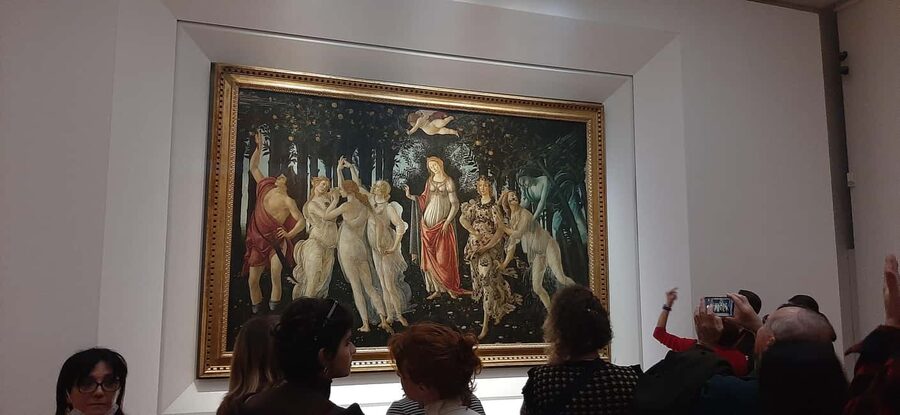
- Botticelli: Spring and the Birth of Venus
- Leonardo: Annunciation and Adoration of the Magi
- Michelangelo’s Tondo Doni
- Caravaggio’s Bacchus
- How to pace your day so you don’t feel rushed
- What’s included, and what you’ll pay attention to (price value lens)
- Meeting the assistant: helpful, but don’t count on them solving everything
- Who this self-guided Uffizi visit is best for
- Quick FAQ: the practical stuff
- FAQ
- Do I need my own smartphone for the Uffizi audio tour?
- Are headsets included with this ticket?
- Where do I meet for entry at the Uffizi?
- Does the ticket delivery happen before I enter the galleries?
- Is the visit fully self-guided?
- How long is the experience?
- What languages are available for the audio tour?
- What documents do I need to bring?
- Should you book this Uffizi app-and-ticket experience?
Key things to know before you go
- Door 1 access: your ticket pickup is near door n. 1, reserved for booking holders.
- App-based guidance: you listen to the museum commentary through your own phone, not provided headsets.
- Interactive 3D map: the app includes map visuals and icons to help you find what’s next.
- Multi-language audio tour: available in Chinese, English, French, German, Italian, and Spanish.
- You set the pace: it’s self-guided, so you can linger on favorites like Botticelli and Michelangelo.
Getting to door 1: how your entry really starts

The entire experience hinges on one simple detail: where you enter. Your meeting point is located close to door n. 1, the entrance reserved for booking holders. An assistant wearing blue clothing with Caf Tour and Gray Line logos will be there to point you in the right direction.
This matters because the ticket is delivered at the entrance. The goal is to avoid the ticket office line and reduce friction at a museum that can get crowded quickly. If you arrive ready and in sync with the reserved-door system, your start feels smooth. If you show up late or wander to the wrong entrance, you can end up moving with the general crowd instead.
Practical tip: wear your most comfortable walking shoes and plan on a full museum mindset. Even though this is labeled 1 day, your best results come from treating it like a long, focused gallery day—not a quick hit.
A few more Florence tours and experiences worth a look



Ticket delivery + the “skip-the-line” idea
On paper, the biggest promise is simple: explore without waiting in queues at the ticket office. What you actually get is a process designed to channel you to reserved access at the museum entrance, with the ticket being delivered right there.
Still, here’s the honest consideration. In a real-world instance, the skip-the-line part didn’t match expectations, and the person waited alongside everyone else, then felt the cost wasn’t worth it. That tells me the system works best when everything is correct on your side—timing, identity document, and confirming your booking details properly.
If you want your day to run efficiently:
- arrive close to your allocated access time (the activity offers starting times based on availability)
- go straight to door 1 (don’t improvise your entrance)
- keep your documents ready so you’re not stopping mid-flow
The app experience: audio tour that works only if your phone does

This is an app-led visit. Download the app from your app store before you go, then use the code you’ll receive at the museum entrance with your skip-the-line ticket. The app gives you audio commentary and an interactive 3D map with icons, so it’s not just sound in your pocket—it’s sound with navigation support.
What I like about this approach is how it changes the museum rhythm. In a guided group, the pace is set for everyone. Here, you can control pacing based on your own eye. Want to slow down for Botticelli? Do it. Want to skim and move? You can.
But you should also know what can go wrong. The tour depends on the technology you bring. The listing doesn’t include headsets, so you’ll need your own. If your phone battery is low, or if the app freezes, you’ll feel it immediately—because there’s no audio backup inside the package.
If you want to reduce stress:
- bring a charged smartphone (and ideally a charging cable)
- test your headphones once before you leave
- make sure the app is downloaded ahead of time so you aren’t stuck in connectivity limbo
The Uffizi route: what you’ll see across the Renaissance highlights
The Uffizi is famous for a reason, and this visit is designed so you don’t just wander randomly. The app guides you through the galleries, and you should expect to come across some of the museum’s most talked-about works, including:
Giotto’s Ognissanti Madonna
One of the moments you’ll likely catch early in your wander is the Ognissanti Madonna by Giotto. It’s the kind of painting that instantly slows your steps, because it feels human and direct in a way that stands out even among Renaissance giants. If you like artwork that tells a story without shouting, this is a strong anchor point for your day.
Practical note: take a second to look at how your eye is guided inside the image. With the app commentary running, you’ll get the context that helps you see more than just the surface.
You can also read our reviews of more guided tours in Florence






Botticelli: Spring and the Birth of Venus
Botticelli’s Spring and Birth of Venus are absolute magnets. Expect to spend time here, because these paintings are not just famous—they’re packed with symbolic details that reward a calmer viewing pace.
With a self-guided audio tour, you can do the smart thing: first look at the composition as a whole, then zoom in mentally to identify characters and relationships as the audio explains what to look for. You get to repeat the viewing loop without someone else moving you along.
Leonardo: Annunciation and Adoration of the Magi
If you enjoy narrative art—scenes that feel like a moment in motion—Leonardo’s works will hit hard. The app route includes the Annunciation and the Adoration of the Magi.
This is where audio can add real value, because Leonardo’s paintings often reward understanding what’s happening beyond the obvious. Instead of just recognizing the scene, you start noticing layers: emotion, symbolism, and the way forms are composed to lead your eye.
Michelangelo’s Tondo Doni
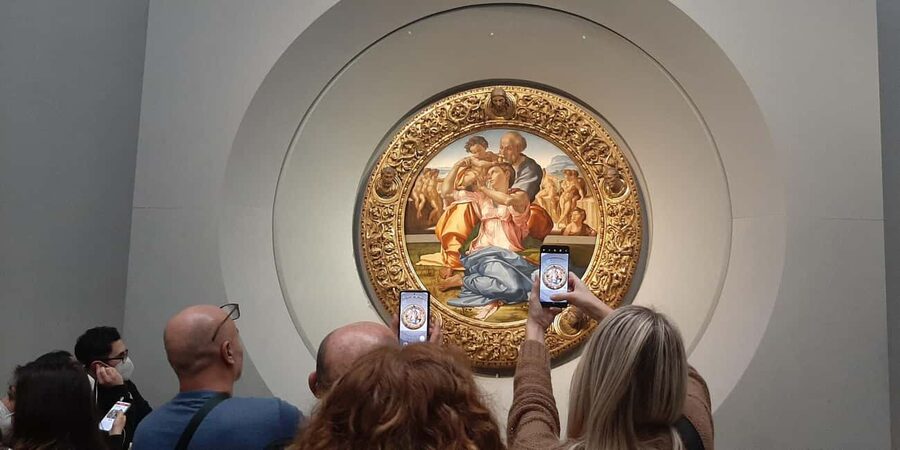
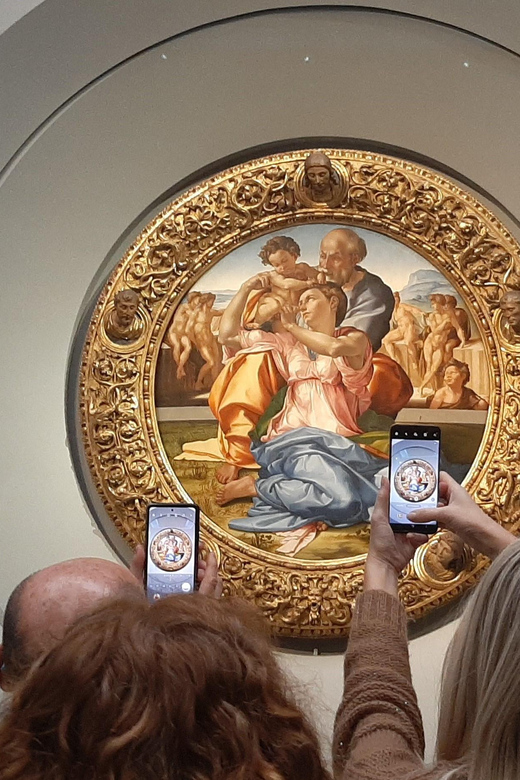
You’ll also encounter Michelangelo’s Tondo Doni. Michelangelo is one of those artists where it helps to know what makes his approach different. A self-guided audio track works well here because you can stop, look, then immediately connect your observation to the explanation—without waiting for a group to catch up.
Caravaggio’s Bacchus
The day can swing dramatically when you reach works by Caravaggio, including Bacchus. This is a helpful change of pace in the middle of the Renaissance lineup. Caravaggio’s style tends to feel more immediate and tactile. Even if you’re not a die-hard art person, you’ll probably feel the difference quickly.
Tip: don’t force yourself through everything in a straight line. If you hit a room where you’re mentally energized, stay a bit longer.
How to pace your day so you don’t feel rushed

Since this is self-guided, the biggest risk is also the biggest opportunity: you can accidentally turn it into a sprint.
Here’s a pacing strategy that works well at the Uffizi:
- pick 3 to 5 must-see masterpieces and treat them as your core
- let the audio guide fill gaps you didn’t plan to study
- build in extra time at the Botticelli and Leonardo areas, because those pieces often generate the most time-on-wall
Also remember this isn’t a one-room museum. You’ll be walking through impressive halls, and your feet will influence your experience. Comfortable shoes aren’t optional if you want to enjoy the collection rather than survive it.
What’s included, and what you’ll pay attention to (price value lens)
The price is listed as $58 per person for the Uffizi Gallery ticket and self-guided app visit. That includes the museum entrance ticket (with a standard surcharge included), plus the self-guided audio tour with app guide, interactive 3D map, and multilingual assistance.
Here’s the value logic I use: you’re paying for two things:
1) the museum entry itself, and
2) the added convenience of app-led navigation and multilingual commentary, paired with ticket delivery at the entrance.
If your main goal is to see famous Renaissance works without the cost of a full guided group tour, this can be good value—especially because you can go at your own pace rather than paying for a schedule that might not match your interests.
But if the app doesn’t function smoothly or you end up needing to purchase extra listening gear, your real cost jumps. Since headsets are not included, that’s one of the places your budget can quietly change.
So I’d call this a strong value if you show up prepared: charged phone, working headphones, and you’re comfortable reading a bit of visual wayfinding from the app.
Meeting the assistant: helpful, but don’t count on them solving everything

You’ll meet an assistant near door n. 1, identified by blue clothing and Caf Tour / Gray Line logos. Their role is assistance at the meeting point and help orient you to the correct entrance and flow.
This kind of support is useful because it keeps you from second-guessing your arrival. But it’s not a substitute for your prep: the app code, the phone, the headphones, and your identification all still need to be in order.
Who this self-guided Uffizi visit is best for

This format fits best if you:
- want control over timing and pacing
- enjoy art more when you can slow down for details
- like using a map and audio pairing instead of a fixed group script
- need multilingual support (with audio options in Chinese, English, French, German, Italian, and Spanish)
It may be less ideal if you:
- rely on the tour provider for device setup
- can’t guarantee a working smartphone and headphones
- need a fully hands-on, guided experience to stay engaged
And one important boundary: the tour isn’t available for children under 12 (0–11). The adult price applies to all participants.
Quick FAQ: the practical stuff
FAQ
Do I need my own smartphone for the Uffizi audio tour?
Yes. The audio tour is delivered through an app, and users must provide their own smartphone to access the content.
Are headsets included with this ticket?
No. Headsets are not included, so you’ll need your own headphones to listen.
Where do I meet for entry at the Uffizi?
The meeting point is close to door n. 1, at the entrance reserved for booking holders.
Does the ticket delivery happen before I enter the galleries?
You get immediate ticket delivery service at the entrance, near the reserved door.
Is the visit fully self-guided?
Yes. It’s a self-guided tour powered by the app audio commentary and an interactive 3D map.
How long is the experience?
The activity is listed for 1 day. You can spend as much time as you wish with the artworks once inside.
What languages are available for the audio tour?
The audio tour is available in Chinese, English, French, German, Italian, and Spanish.
What documents do I need to bring?
You must present an original identity document. Your booking also requires personal details like name, date of birth, and passport/ID number.
Should you book this Uffizi app-and-ticket experience?
I think this is worth booking if you want independence and you’re prepared to run the tech side yourself. The combination of audio commentary, the interactive 3D map, and door 1 entry support can make a big museum feel manageable.
Book it if:
- you love going at your own pace
- you’re comfortable using your phone for navigation
- you can bring charged headphones-ready equipment
Skip or reconsider if:
- your phone battery is unreliable or your headphones are hit-or-miss
- you need a fully guided, device-free experience
- you’re traveling with no way to troubleshoot audio issues on-site
If you’re organized, you’ll get a high-quality Uffizi day: time with Giotto, Botticelli, Leonardo, Michelangelo, and Caravaggio, all without the pressure of keeping up with a group.